Every app, in one integrated suite
Each Goooy app holds up on its own, but they share one directory and one sign-in, and context carries between them. Your team stops stitching tools together.
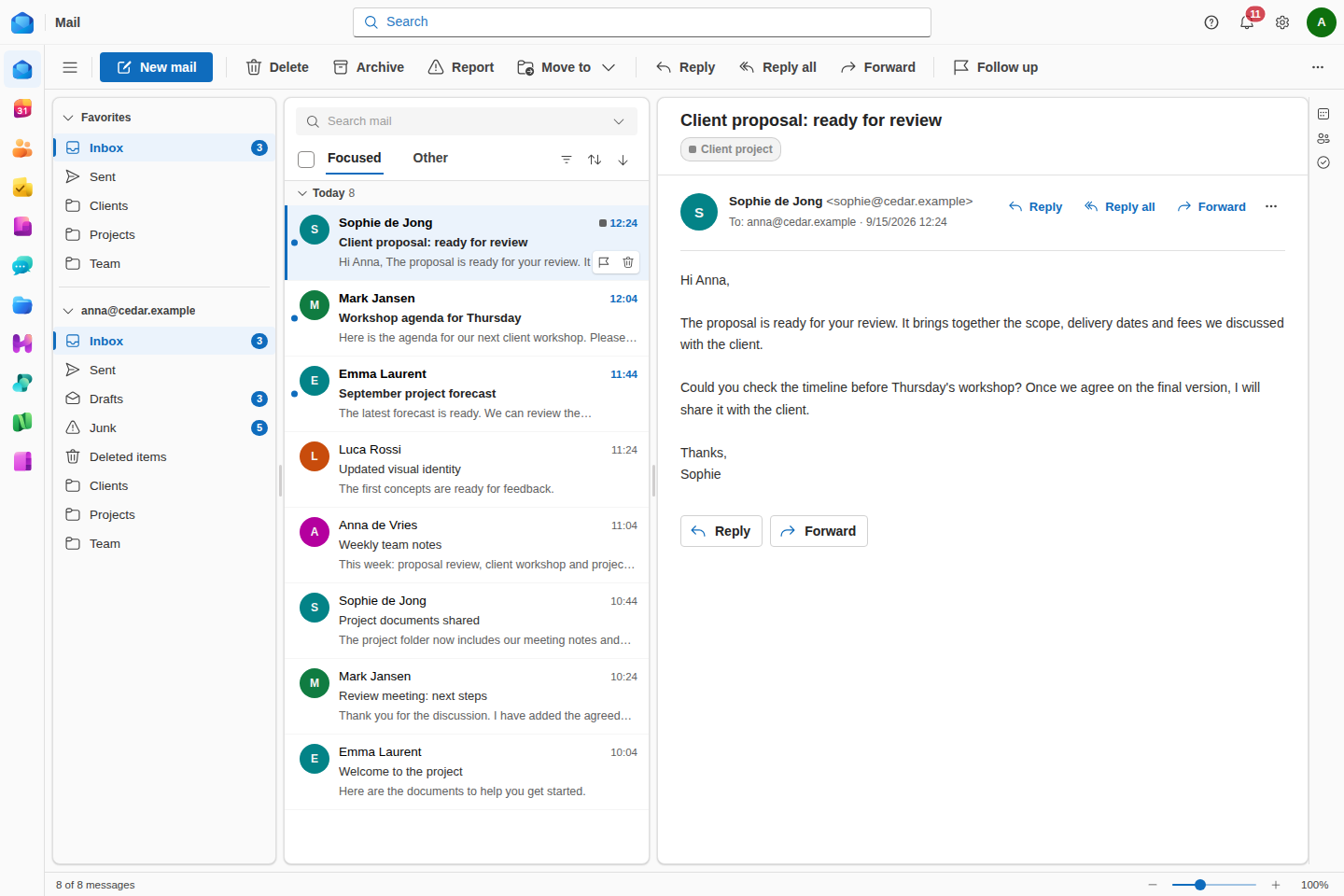
Fast, focused email with shared mailboxes, rules and search that keeps up.
Familiar alternative to OutlookCalendar
Shared calendars, room booking and public pages so anyone can book your time.
Familiar alternative to Outlook CalendarContacts
One company directory that every app reads from.
Familiar alternative to PeopleTasks
Shared Kanban boards to plan, assign and close out work as a team.
Familiar alternative to To Do & PlannerNotes
Capture and organise team knowledge in one place.
Familiar alternative to OneNoteChat
Real-time messaging and channels for every team.
Familiar alternative to Teams chatFiles
Store, sync and share with granular control, and send a PDF out for signature.
Familiar alternative to OneDriveHelpdesk
Turn support@ into a real queue: tickets, owners, SLAs and canned replies.
Familiar alternative to ZendeskMeet
Secure video meetings with live captions, recording and AI meeting minutes.
Familiar alternative to Teams meetingsOffice
Documents, spreadsheets and presentations, co-edited live in the browser.
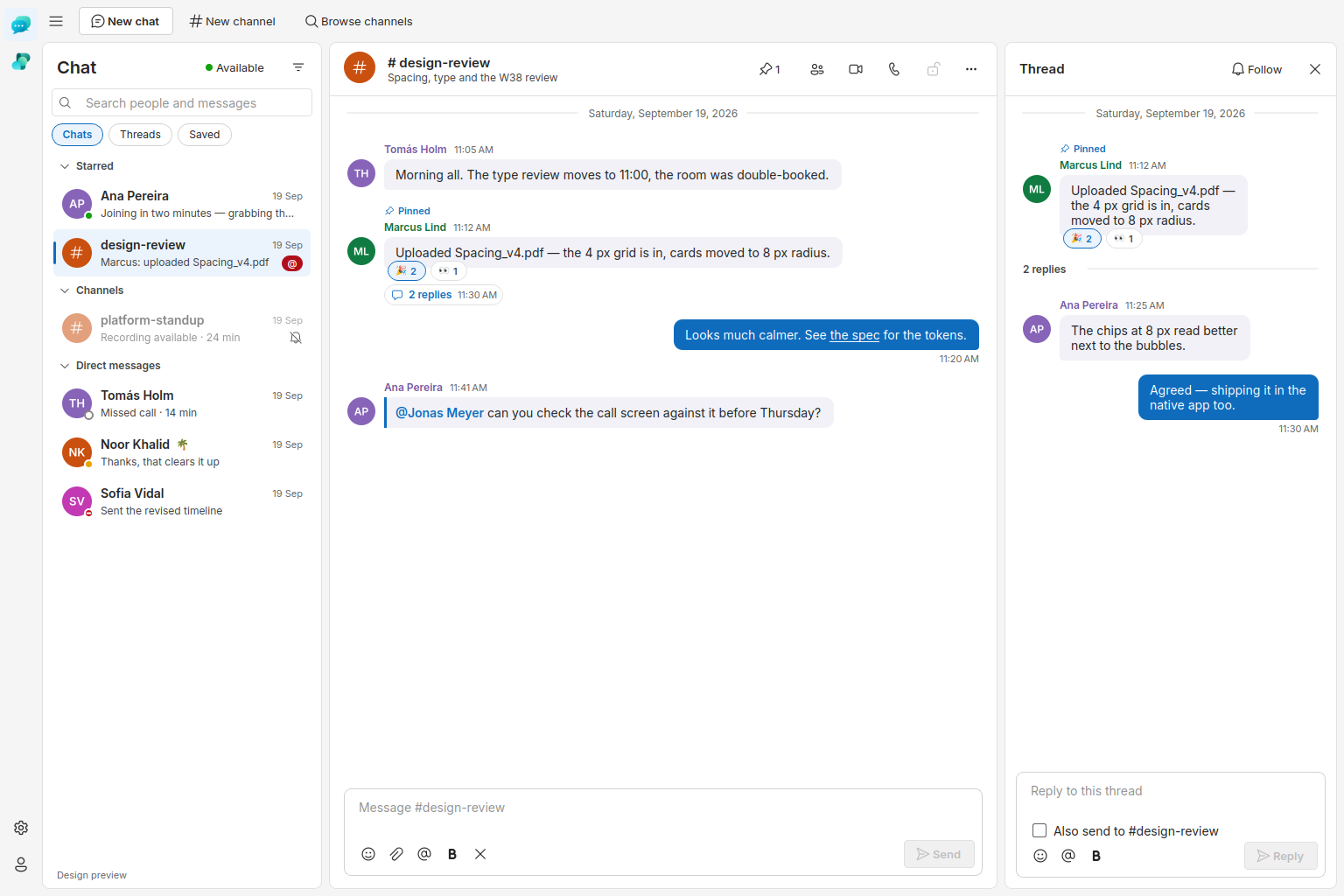
Familiar alternative to Word, Excel & PowerPointThe same look and feel, across every app
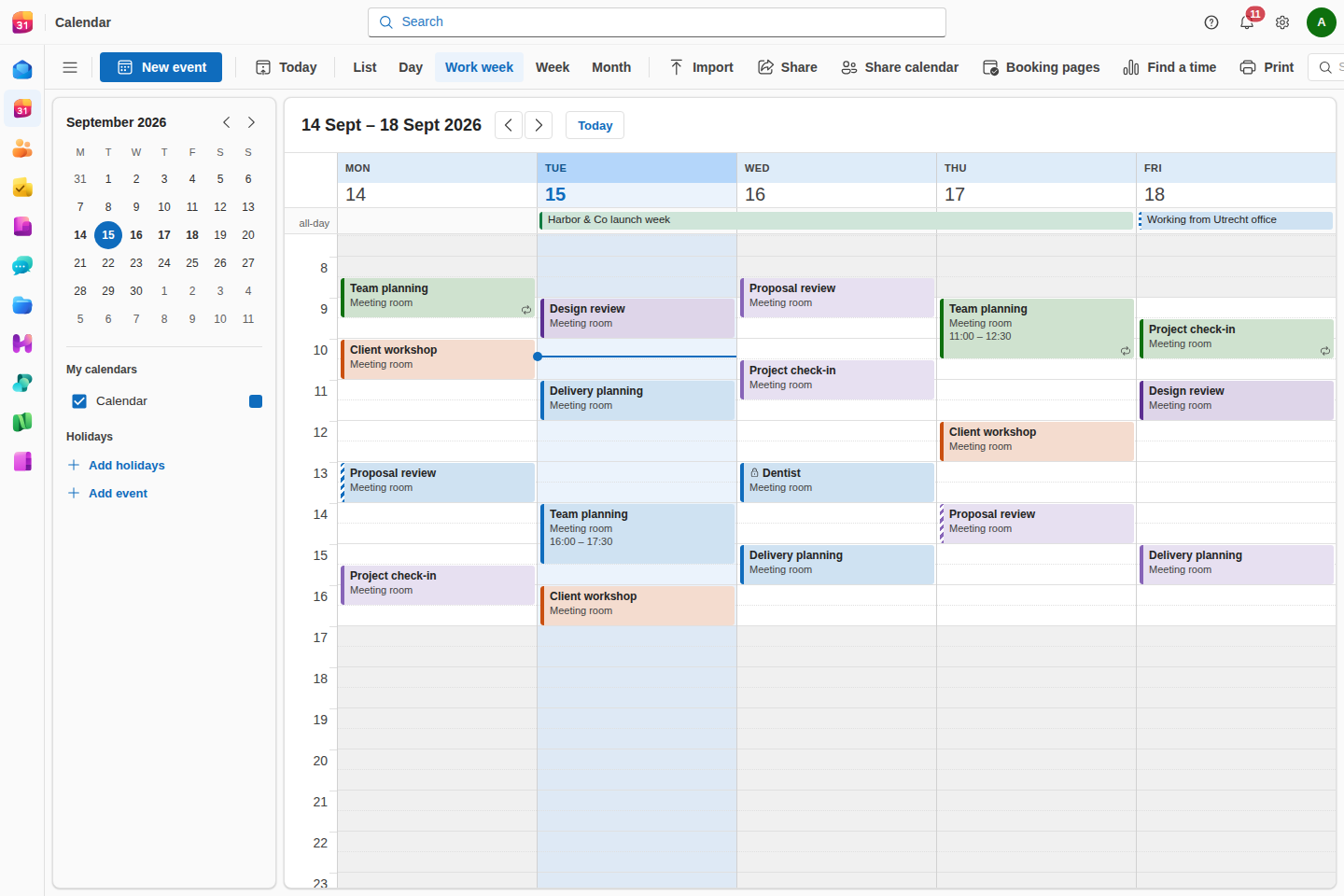
Everyone's time, in one view
Personal and team calendars side by side, free/busy across the whole directory, and room booking anyone can see. Share a public booking page or send a meeting poll, and the scheduling assistant finds a slot that works for everyone.
Familiar alternative to Outlook Calendar · Google CalendarConversations that stay in context
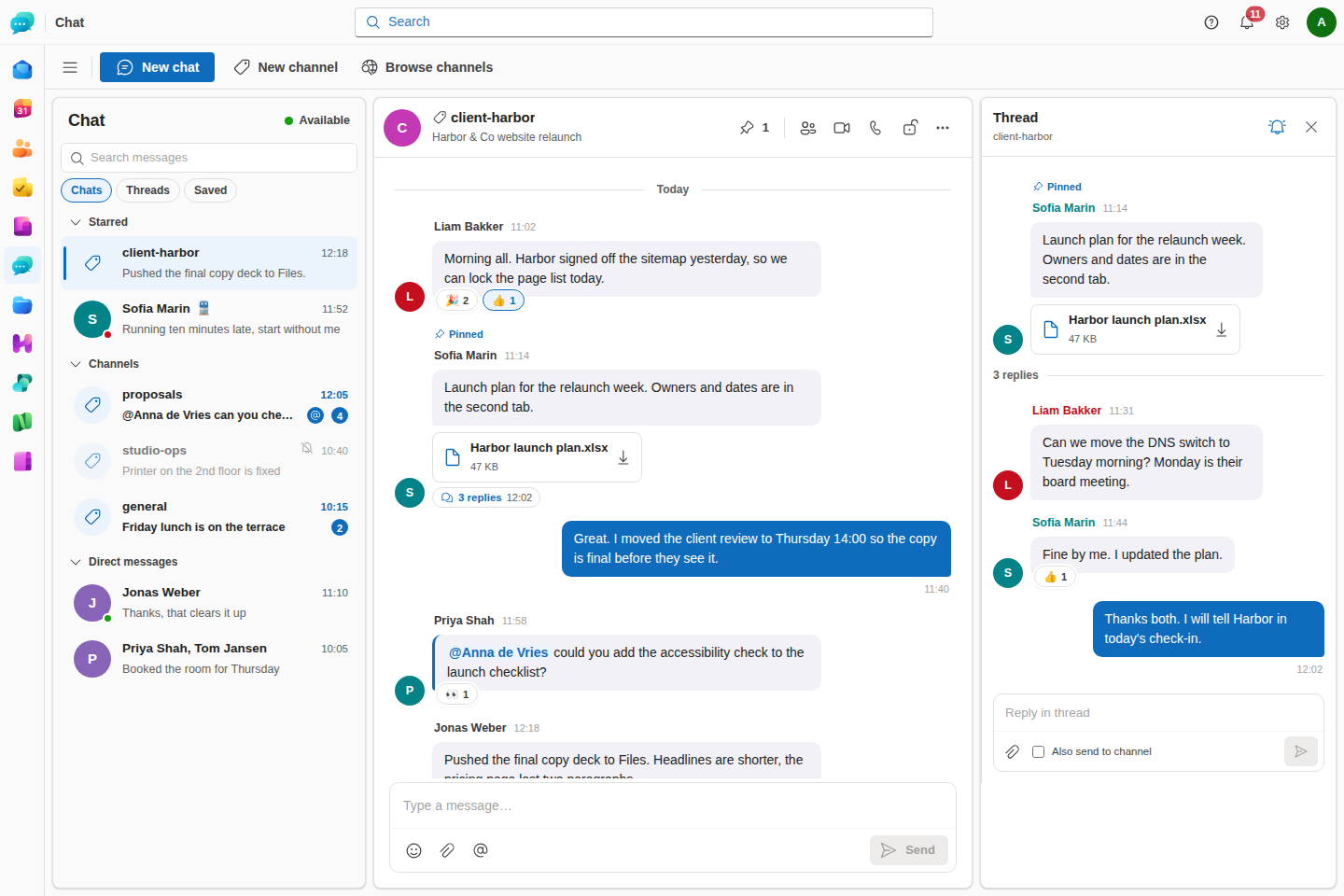
Direct messages and persistent channels for every team and project, with files, mentions and searchable history. Jump straight from a thread into a video meeting without switching apps.
Familiar alternative to Teams chat · Google ChatShared storage with real control
Secure storage that syncs across devices, with versioning, link sharing and granular permissions. Files attach to tasks, notes and messages, so there are no stray copies scattered everywhere.
Familiar alternative to OneDrive · Google DriveA shared inbox that behaves like a queue
Every mail to support@ becomes a ticket with an owner, a priority and an SLA clock that only runs during your business hours. Two agents opening the same ticket see each other before they both reply, and the mailbox stays a normal mailbox, still there in Outlook and on your phone.
Familiar alternative to Zendesk · FreshdeskWhat's inside each app
A clean, fast inbox with conversation threading, shared mailboxes and delegation, server-side rules and search that keeps up. Send from any of your aliases, set an out-of-office reply that treats colleagues and strangers differently, schedule a message for Monday morning, and sign or encrypt individual mails with S/MIME.
Calendar
Familiar alternative to Outlook Calendar · Google CalendarPersonal and team calendars side by side, free/busy across the whole directory, and room and equipment booking. Share a public booking page so anyone outside your team can grab time on your calendar, or send a meeting poll to find the slot that works for everyone.
Contacts
Familiar alternative to People · Google ContactsA single shared address book backed by the same directory that powers sign-in. Update someone once and Mail, Calendar, Chat and Files all see it instantly.
Tasks
Familiar alternative to To Do & Planner · Google TasksShared Kanban boards your whole team can see, with drag-and-drop cards and columns, quick assignee search, and a Done column that always stays in place. Turn an email or a chat message into a task in one click.
Notes
Familiar alternative to OneNote · Google KeepRich notes and shared notebooks for meeting minutes, docs and team knowledge. Link a note to a task, a file or a calendar event so context never gets lost.
Chat
Familiar alternative to Teams chat · Google ChatDirect messages and persistent channels for every team and project, with threaded replies, files, mentions and history that stays searchable. Invite an external guest into one channel without giving them the rest of the suite, turn on end-to-end encryption for a sensitive conversation, or connect two Goooy servers so partner organisations can talk directly. Jump from a chat into a video meeting in one click.
Files
Familiar alternative to OneDrive · Google DriveSecure storage that syncs across devices, with versioning, link sharing and granular permissions. Ask someone outside the company to drop files into a folder without giving them access to it, sync a folder to your desktop, and send a PDF out for signature without leaving the Drive. Files attach to tasks, notes and messages without leaving copies everywhere.
Helpdesk
Familiar alternative to Zendesk · FreshdeskTurn support@, info@ or sales@ into a queue your team can run: every incoming mail becomes a ticket to assign, prioritise, tag and answer, with first-response and resolution clocks measured in business hours. Canned replies keep answers consistent, the audit trail records who did what, and AI triage can suggest a priority before anyone opens it. Switch it off and you are left with an ordinary shared mailbox, nothing to unpick.
Meet
Familiar alternative to Teams meetings · Google MeetReliable video meetings with screen sharing and chat, launched in one click from a calendar event, a channel or a contact. Live captions while people talk, and afterwards the recording lands in your Drive with AI-generated minutes, filed automatically as a shared note plus one task per action item.
Office
Familiar alternative to Word, Excel & PowerPoint · Google Docs, Sheets & SlidesA full word processor, spreadsheet editor and presentation editor, built in. Open the .docx, .xlsx and .pptx files you already have, co-edit them live with your team, and even open them in desktop Word, Excel or PowerPoint with changes syncing back.
Explore Docs, Sheets & Slides →An AI workforce you switch on role by role
Goooy ships a catalogue of department-aligned AI agents that work inside the suite as governed team members. Switch on the roles you want and tune each one; nothing runs until an admin opts in.
A department-aligned roster
A standard catalogue that mirrors a real org chart: from the CEO office to finance, sales, HR, IT and operations. Admins enable the roles they want and tune each one's remit, and nothing runs until you opt in.
Governed team members with real accounts
Each agent is provisioned as its own user with least-privilege access, so it works only within its department's scope. High-impact actions like sending external mail wait for a person to approve, and every step is audited.
Grounded in your own knowledge
Agents answer from your material: a company briefing, a knowledge base you curate, and the mailboxes, calendars and files explicitly shared with them, rather than the open internet. None of them gets blanket access to the organisation.
Your model, your region
Point agents at any EU-resident or self-hosted model endpoint. Your prompts and data never have to leave your boundary, and every run records exactly which provider handled it.
Agents that can act on what they find
Give an agent tools as well as a remit: a governed browser session, a sandboxed desktop, and connectors to the systems you already run, such as Exact Online, AFAS, Twinfield, Moneybird and Google. Each connector is scoped, its credentials sealed, and its actions logged.
A built-in alternative to Microsoft 365 Copilot and Google Gemini, without handing your business to a hyperscaler.
Read the AI agents guideAnd everything around the apps
The apps are what your team opens each morning. This is the rest of the product: the parts that make ten apps behave like one, and the parts that decide whether IT can run it.
One search across everything
Type once and get ranked results from mail, files, chat, calendar, contacts, tasks and notes at the same time, including matches inside the text of your documents, spreadsheets and PDFs as well as their filenames. Every hit opens the item it came from.
E-signatures, without a second vendor
Send a PDF for signature straight from the Drive. Signers need no Goooy account, they sign in the browser in whatever order you set, and the finished document comes back stamped with every signature, a certificate of completion and a tamper-evident audit trail.
Learn more →An AI workforce that leaves knowledge behind
Department-aligned agents that run as least-privilege users, wait for human approval on high-impact steps, and answer from your material rather than the open internet. What they confirm along the way is written back into a company knowledge base you own, so what the work produces stays with the company.
Learn more →The clients your team already uses
Outlook for Windows connects natively over MAPI/HTTP with no plugin to install, iPhones and Android over ActiveSync, and everything else over IMAP, CalDAV, CardDAV, EWS or JMAP. Autodiscover means most clients set themselves up from an address and a password.
Learn more →Migration you can run in stages
Point Goooy at your old IMAP server (with presets for Microsoft 365, Gmail, iCloud and Yahoo) or upload a .pst, .mbox, .ics or .vcf export. Transfers resume after an interruption, skip what they've already moved, and report progress per user.
Learn more →One console for the whole estate
Organisations, domains, users, groups and storage quotas; password, MFA and SSO policy per organisation; mail and storage statistics; mobile device management with remote wipe; org-wide public folders; and bulk import or a live sync from Active Directory.
Learn more →Identity that plugs into yours
Per-organisation single sign-on over OIDC or SAML 2.0, SCIM 2.0 provisioning that creates and disables accounts from your IdP, LDAP directory sync, revocable app passwords for older clients, and Goooy itself as an OAuth2/OIDC provider for your other applications.
Learn more →Retention, legal hold and DLP
Per-organisation retention policies that age mail, files and messages out on your schedule; legal hold that overrides them while a matter is open and exports a custodian's data for review; data-loss-prevention scanning across mail, chat and files; and append-only audit trails.
Learn more →Proof your domain isn't being spoofed
SPF, DKIM and DMARC for every domain you host, with the aggregate reports parsed on arrival into a pass-rate, alignment and spoofing-source dashboard. MTA-STS policy hosting and SMTP TLS reporting turn silent downgrade attacks into something you can see.
Learn more →Mail that arrives less dangerous
Spam and phishing filtering, deceptive-link and lookalike-domain detection, links rewritten so a URL is checked at click time rather than at delivery, attachments opened in a sandbox first, and remote images blocked or proxied by default.
Learn more →On the desktop and in your pocket
A native desktop app for Windows, macOS and Linux (with Drive folder sync, selective sync, bandwidth limits and conflict handling), plus iOS and Android apps with push notifications. Or skip all of it and use the browser.
Learn more →Built for groups and hosters
Run many organisations from one deployment, each with its own domains, users, policy and branding. Where regulation demands more than row-level separation, give a tenant its own PostgreSQL schema, or its own database, without changing how anything is operated.
Learn more →See how the suite fits your team
Every app shares one directory, one login and one data model. Compare the plans, or read the docs to see exactly how it deploys.